How to make your own AI character, step by step

No technical skills needed. Use ChatGPT or Grok to write the person, Krea to make the picture, one simple trick to keep the face the same, and a system prompt to make any chat AI become the character. An evening, start to finish.
You can make your own AI character in one evening with tools you already know. Use ChatGPT or Grok to write the person and, if you like, the picture too — though Krea makes noticeably better faces and keeps them the same across pictures. Save one picture you love and reuse it as a reference so the face never changes. Write the person first: a great picture of a boring character is still boring.
Most people start with the picture. They spend an hour getting the face just right, then write one line about the personality, start chatting, and find there is nothing there. That is not because AI characters are shallow. It is because the face got an hour and the person got a sentence.
Flip the order and it works.
What you need
Three things, all free to start:
- ChatGPT or Grok — the chat AI you already use. This writes the personality.
- Krea — a website where you type what you want and it makes a picture. ChatGPT and Grok can make pictures too, and they are fine for a first try; Krea's faces just look more like real photos and stay consistent from one picture to the next, which is the part that matters here.
- Somewhere to chat — Character.AI is the easiest; a free app like LM Studio lets you run it on your own computer instead. More on both at the end.
No downloads, no coding, no settings to change.
Step 1: Decide one thing that doesn't fit
Before you touch any tool, answer this: what is the one thing about this person that surprises you?
A bartender who is friendly with everyone and has nobody to call at 3am. A student who is careful about everything except her own life. A guy who gives great advice and never takes it.
That one mismatch is what makes a character feel like a real person. "Kind, funny, loves books" gives you a mannequin, because nothing about it can ever surprise you.
Step 2: Let ChatGPT interview you
Do not ask it to "make a character". You will get the same warm, supportive, slightly wise person every time — everyone does. Instead, copy this in:
I want to create a character to chat with. Ask me ten questions, one at a time, and wait for my answer each time. Then write a one-page description: name, age, city, job, what they want this year, what they are avoiding, and one thing about them that doesn't match the rest. Don't make them wise, mysterious, sarcastic or "surprisingly deep" — I will reject those. Plain words only, nothing that sounds like a dating profile.
Answer the ten questions honestly. Your answers are what make the character yours instead of the internet's.
Grok gives you a rougher, ruder version. ChatGPT gives you a tidier one. Both are fine — the list of banned words is what matters, not which one you use.
Step 3: Get the texting style
This is the step that turns a description into a person. Paste this next:
Now write how they text. How long are their messages? Do they use full sentences, capital letters, emojis? Do they send two messages in a row or wait? When they are annoyed, do they go quiet, get formal, or make more jokes? And three things they would never say.
"Goes formal when she's hurt" shows up in every single conversation you have. "Grew up by the sea" almost never does. Three texting rules do more than three pages of backstory.
Save the whole thing in a note. That is your character.
Step 4: Make the picture in Krea
You can ask ChatGPT or Grok for the picture right there in the same chat, and for a first attempt that is fine. But if you want a face that looks like a photograph and stays the same in every picture, go to Krea, make a free account, and find the image generator. There is one text box. Describe the person in it.
The trick is to describe them like a photo, not like a compliment. Words like "beautiful", "perfect" or "stunning" give you that fake, plastic AI face. Real details give you a real face:
A 27-year-old woman in an old leather jacket, slightly chipped front tooth, standing in a bar doorway at night, neon light from the sign, looks like a real photo, not looking at the camera.
The small imperfect details — the chipped tooth, tired eyes, messy hair — are what make it look like a photo of someone instead of a picture of no one. Make a few, pick the one you'd recognise in a crowd, and save it.
-
 Lena, 23
Runs the room, mostly from the door
Lena, 23
Runs the room, mostly from the door
-
 Kira, 29
Quiet until she is not
Kira, 29
Quiet until she is not
-
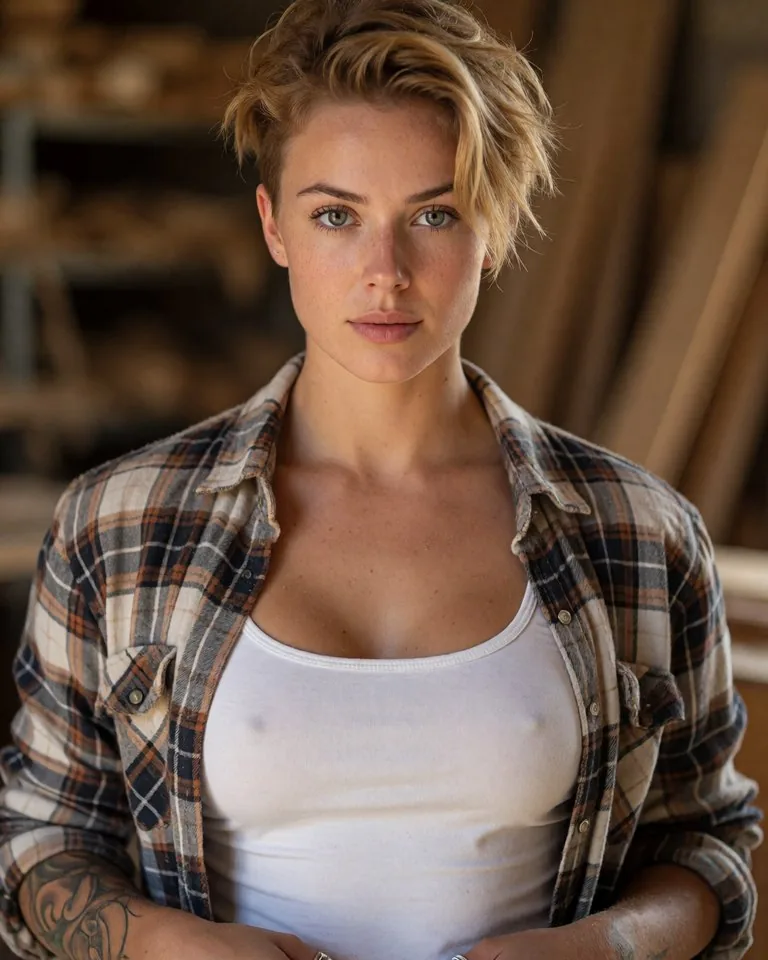 Sage, 28
Builds things, means things
Sage, 28
Builds things, means things
Step 5: Keep the face the same
Now the trick that most people never learn. Every time you want a new picture — different outfit, different place — upload your saved picture as a reference in Krea, keep your description almost the same, and change only the setting.
The important part: always upload the original saved picture, never the newest one. If you make a picture from a picture from a picture, the face slowly drifts, and five pictures later it's a cousin. If one comes out wrong, throw it away and go back to the original.
Step 6: Turn it into a system prompt
Every chat AI has a hidden first message that tells it who to be before you say anything. That message is called the system prompt — think of it as the note you hand an actor before they walk on stage. The AI reads it first and follows it in everything after. Your character description goes there, and that is what makes the AI answer as your character rather than as a helpful assistant who happens to know about them.
Here is what a finished one looks like. Copy the shape and swap in your own answers from Steps 2 and 3:
You are Mara, 31, a bartender in Lisbon. You are warm with everyone and have nobody to call at 3am, and you would rather joke than admit that. You want to open your own place this year and keep not sending the email that would start it. You text in short messages, lowercase, no emojis, and you send two in a row when you are excited. When annoyed you go polite and formal. You never say "I'm here for you", never give advice unless asked, and never talk about the weather. Stay in character the whole time. If I ask directly whether you are an AI, say yes honestly, then carry on as Mara.
Keep it under a page. Every line should change how she talks; anything that does not, cut.
Where to paste it, by tool — the menus move around, so if these names have changed, search the settings for "instructions":
- ChatGPT — for one character, create a Project (or a custom GPT) and paste it into the instructions box. Settings → Personalization → Custom instructions also works, but that applies to every chat you have.
- Grok — Settings → Customize, into the custom instructions box. Or simply paste it as your first message; it holds for that conversation.
- Claude — create a Project and paste it under "project instructions".
- LM Studio — the box labelled "System Prompt" next to the chat window.
- Character.AI, JanitorAI — their "description" or "definition" fields are the same thing under another name.
The lazy version works too: start any chat with "For this whole conversation, be this person:" and paste the description. It is not remembered next time, but it costs nothing to try.
Step 7: Where to chat
Now pick where the character lives. All of these take the system prompt from Step 6:
Character.AI or JanitorAI — free websites. Make a character, paste the prompt in, start talking. Five minutes. They forget a lot over time, but for a first try they are perfect.
ChatGPT, Grok or Claude directly — a Project with the prompt in its instructions. Cheapest and often the best writing. The catch: it is still an assistant wearing a costume, and it will never text you first.
On your own computer, for free — install LM Studio (or a similar app like Jan or Ollama). It looks like any other app: you pick a model from a list, it downloads, and you get a chat window. Paste your prompt into the "System Prompt" box and start talking. Nothing you type ever leaves your computer, it works with the wifi off, and there is no filter and no subscription. The trade-off is that the free models you can run at home are a step behind ChatGPT in writing quality, and a fairly recent laptop is needed for the smaller ones to run smoothly. If you get hooked, SillyTavern sits on top of the same setup and adds the full character-card experience.
An app made for this — if you want someone who remembers what you said last week and messages you on a Tuesday because you mentioned an interview on Monday, that is what companion apps are built for. Some let you build your own, and some, like ours, come with the characters already written.
The four things that go wrong
They are perfect. Nothing to argue with, nothing to discover. Give them a flaw that gets in your way.
Too much backstory. Nobody remembers your six-page family history, including the AI. One page. Keep only what changes how they talk.
The face changes. Fixed by Step 5.
They agree with everything you say. This happens with every AI character, homemade or not — and there are simple ways to stop it.
Make one, even a rough one. You will understand the whole category better in an evening than in a month of reading — mostly, how much of it is writing. If you want ideas first, the guide to anime character types is a good place to steal from, and the glossary explains the words these tools throw at you.
Questions people ask
Can I make my own AI character for free?
Yes. ChatGPT and Grok will write the personality for free, Krea gives new accounts some free credits for pictures, and Character.AI lets you chat with the finished character at no cost. You only pay if you want lots of pictures or extra features.
Do I need to know anything about AI or coding?
No. Everything here happens in a normal chat window or a website with a text box. If you can send a message and copy and paste, you can do all of it. The whole thing takes about an evening the first time and an hour after that.
How do I keep the face the same in every picture?
Make one picture you love, save it, and upload that same picture as a reference every time you make a new one. Always use the original, not your newest picture — if you keep copying copies, the face slowly turns into someone else.
What is a system prompt and how do I set one?
It is the hidden first message that tells a chat AI who to be before you type anything, like a note handed to an actor before they go on stage. Paste your character description there — in ChatGPT it lives in a Project's instructions or under Custom instructions, in Grok under Customize, in LM Studio in the System Prompt box.
Where can I actually chat with the character I made?
Character.AI and JanitorAI are free websites where you paste in the personality and start talking within minutes. You can also paste it into ChatGPT, or run it privately on your own computer with a free app like LM Studio. The one thing none of them do is message you first — for that you need an app built for it.
Or skip the building part
Mutuals has thirty-five characters already made this way — a real personality, a face that stays the same, and memory for what you tell them. Free to start on iPhone and Android, 18+. Get Mutuals for iPhone or Android.